

How to Sign Up for Livebeam and What to Expect After: A First-Time User’s Guide
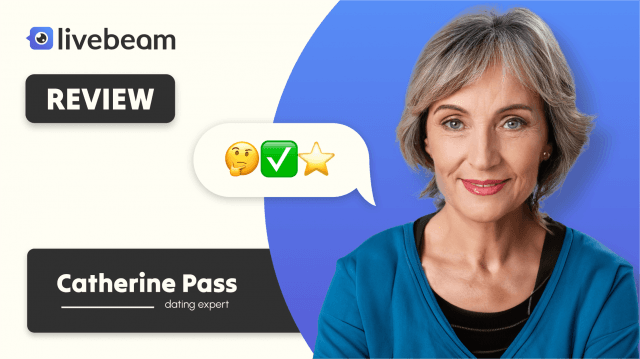
When I first stumbled across Livebeam, I was curious but cautious. As someone who's spent years testing and analyzing communication platforms, I didn't expect anything revolutionary. However, since Livebeam seemed to offer direct messaging without requiring likes, and included some safety claims like AI-powered scam detection, I decided to test it myself. In this article, I'll walk you through the Livebeam sign up process, what happens after you create a new account, and what to expect from the features. This is a neutral Livebeam review based on personal use—nothing exaggerated, just the basics, observations, and my experience.
Getting Started: The Livebeam Sign Up Process
Creating a Livebeam account is relatively easy. You don't need to download anything, which is great because there's currently no mobile app. Everything happens on the web. Here's how my Livebeam sign up went:
- Visit the Website: I accessed Livebeam from Chrome on my laptop. The home page loads fast and has a standard layout with basic prompts.
- Initial Details: I entered a name (which doesn't need to be your full legal name), email address, age, and gender.
- Verification: Livebeam asks for email verification right after the initial details. It took less than two minutes to get the verification link.
- Profile Setup: I added a short bio, selected my interests, and uploaded a few pictures. Nothing too time-consuming.
- Exploration Begins: Once the profile was created, I was automatically directed to the main interface—this is where the real test began.
It's worth noting that Livebeam doesn't ask for your phone number during registration. For some users, that's a plus. For others, it might seem like a gap in user verification.
Exploring Livebeam After Sign-Up
After I completed the Livebeam sign up, I was curious to see how much I could do with a free Livebeam new account. The answer: a decent amount, but with limits.
User Interface & First Impressions
The layout is similar to most communication platforms. Profile previews, messaging icons, and basic filters are visible right away. The color scheme is muted—not flashy, but clean. I didn't run into any bugs or slow loading, which is always a good sign.
Search Filters
I tried filtering users by age and location. These worked fine.
Messaging on Livebeam: Not Quite Free
While Livebeam advertises free registration, messaging is not entirely free. You can view profiles and maybe send a short interest “wink” or similar interaction.
Testing Messaging
I selected a profile that seemed relevant to what I was looking for—someone close to my age, sharing similar interests. I composed a short message and hit “Send.” The communication was interesting, and I met really nice people on the website.
Contacting Customer Support
To test how responsive the support is, I submitted a ticket asking about my profile.
- Response Time: I received a reply within four days—not instant, but acceptable.
So far, my Livebeam review shows that while the platform lacks live chat support, their email system is functional. Just don't expect real-time assistance.
Livebeam's Security Claims: Worth Knowing
The site claims to use AI to detect scam activity and says fraud is usually blocked within 10 minutes. While I didn't come across obvious scam accounts during my first few days, it's impossible to test this claim thoroughly without encountering suspicious users. That said, the profiles I interacted with didn't show any red flags.
I also noticed moderation messages—one of my uploaded images was flagged for not meeting their guidelines. I replaced it, and the new one was approved within an hour. This confirms there's some level of human content moderation, as the site claims.
Data Privacy and Indexing
Livebeam states that profiles are not indexed by search engines and that photos remain private. I tested this by searching my username on Google—it didn't show up, which supports their claim.
If you're privacy-conscious, this part of the Livebeam review might appeal to you. Still, it's smart to avoid uploading highly personal images or information.
Final Thoughts on Livebeam
So, is Livebeam worth it? That depends on what you're looking for.
If you're just browsing, setting up a Livebeam new account is simple, and you can explore profiles freely.
This Livebeam review is based on real use, not hearsay or marketing. I signed up, used the filters, tested messaging, made a small purchase, contacted support, and evaluated their privacy policies—all without expecting perfection or making assumptions.
FAQs
What is the Livebeam sign up process like?
It's simple. You provide basic details and verify your email. No phone number is required.
Does Livebeam have a mobile app?
No. The platform is accessible only via browser.
What is Livebeam used for?
It's a platform designed to help people connect based on shared values and interests.
Is Livebeam secure?
Livebeam claims PCI DSS compliance and uses AI for scam prevention, along with human moderation.
This article could include affiliate links and reflects my personal experience and viewpoints. I recommend that readers carry out their own investigation and form their own conclusions before making any decisions.